实时嵌入
Embed files, sections, code symbols, and data paths with ![[file.md]] syntax. Nested markdown recurses up to 3 levels deep with circular reference protection.

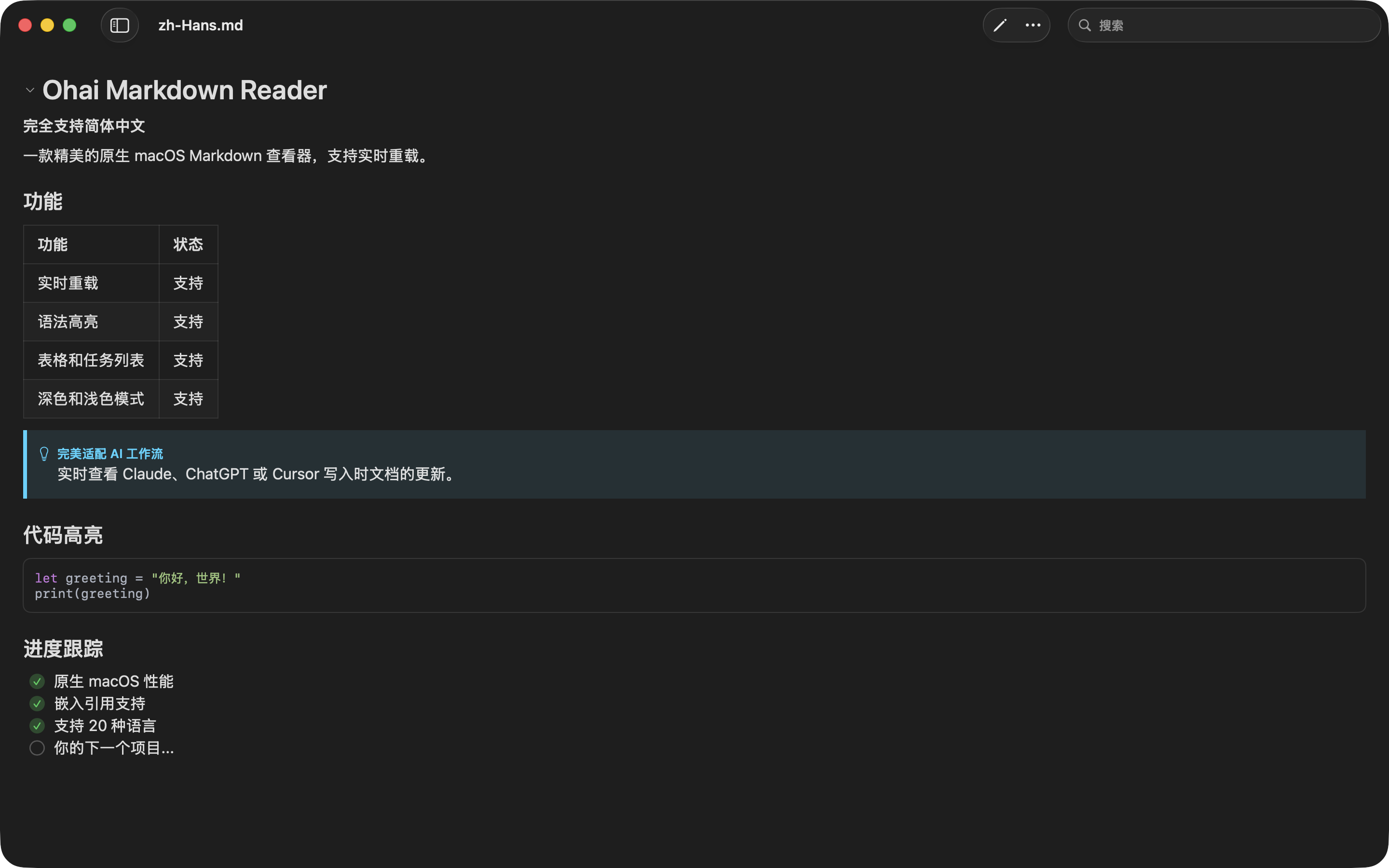
A native macOS markdown viewer for live AI workflows, source-aware documentation, rich scientific content, and polished export to HTML, PDF, DOCX, or processed Markdown.
Embed files, sections, code symbols, and data paths with ![[file.md]] syntax. Nested markdown recurses up to 3 levels deep with circular reference protection.
保存即见变化——无论是您还是 AI 编程助手保存的文件。混合文件监控兼容任何编辑器,包括 Vim 的原子保存。
在 Ohai 中打开进度文件,看 Claude 实时工作。任务列表逐项完成、表格逐渐填充、代码块即时呈现——一切实时可见。
500KB 以上文件依然滚动流畅。自动虚拟化仅渲染可见内容——无卡顿、无延迟。
Transcluded source files get syntax highlighting for 185+ languages and symbol extraction across 40+ code and data formats.
Text fences and inline syntax become molecules, reactions, SAR tables, sequence maps, phylogenetic trees, chromosomes, charts, and 3D molecular views.
Draft Markdown with a source pane, live preview, save flow, bundled sample browser, and prompt builder for AI handoff.
在 Finder 中对任意 .md 文件按空格键,即可预览渲染后的格式、语法高亮、wiki 链接、图片和简洁缩略图。
Export to standalone HTML, PDF, DOCX, or processed Markdown with source links, images, syntax highlighting, and rendered visual content.
将源代码文件嵌入 README。代码更新时,文档自动同步。让文档永不过时。
一份主文档汇聚多个包的状态。更新任意更新日志,仪表盘同步刷新。技术负责人的得力助手。
在 Ohai 中打开进度文件,看 Claude 实时工作。任务列表逐项完成、表格逐渐填充、代码块即时呈现——一切实时可见。
Render SMILES, reaction SMILES, SAR tables, SeqViz maps, phylogenetic trees, 3Dmol.js structures, assay charts, and local ELN-style attachments.
A powerful native markdown renderer for code, notes, AI workflows, and scientific documents.
下载 Mac 版$19.99 (one-time purchase)
 需要 macOS 15.0 (Sequoia) 或更高版本